Opens the full album on Apple Music. Playback availability depends on your region and subscription.
About this edition
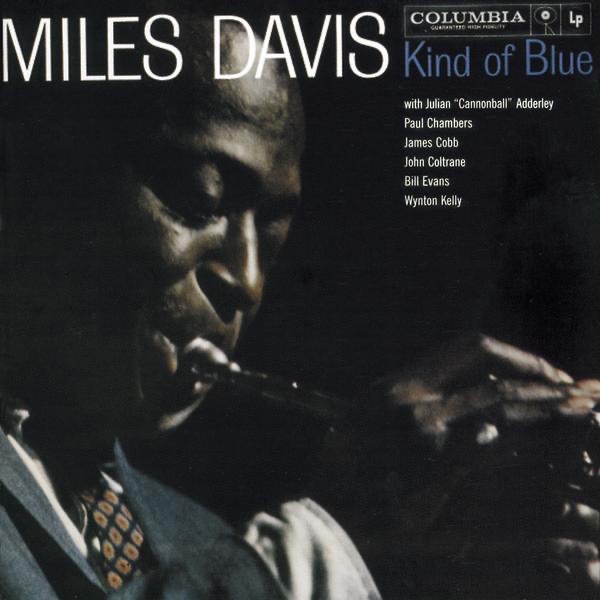
Kind of Blue Listed release: 1959-08-17. Decade filtering uses the original album year.
◎ Full albums to explore↻ No repeats in this tab✓ No sign-up needed
How the random album generator works
01
Choose your decade
Leave the random album generator on Any decade for a broad surprise, or choose an era you want to explore. Your selection applies to the next pick.
02
Let chance choose
The random album generator gives you one complete album, with its cover, artist and original release year. Keep No repeats on to continue discovering something different.
03
Listen from start to finish
Open Apple Music at track one. Return to the random album generator for another record, or try a random Beatles song by album.
MORE THAN A SINGLE TRACK
Give a whole album a chance.
Use the random album generator to follow an artist across a complete record. For a shorter listen, hear a random Spotify song.
Put your phone down and follow the sequence. After your random album generator pick, let the random song generator take you somewhere new.
A different way to discover music
For a quiet evening
Let the random album generator make the first choice while you settle in. Listen beyond the best-known single and give the quieter tracks a little room. The random album generator is there when you want the whole record.
For a listening challenge
Try one unfamiliar album each day. Use the random album generator, listen all the way through, then write down the track you would return to. Next time, start with the random album generator.
For a fresh discovery
When familiar playlists stop surprising you, open the random album generator. Leave the decade open and follow a pick you would not normally search for.
Random album generator: your questions
How do I use the random album generator?
Choose a decade or leave it on Any, then use the random album generator to pick a record. Open it on Apple Music to listen, or pick again when you want something different.
Does the random album generator include singles and EPs?
The random album generator is for full-length albums. Open your pick to explore its songs in order, from the opening track to the closing notes.
Will the random album generator repeat an album?
With No repeats enabled, the random album generator excludes albums already drawn in this tab. History survives a reload when browser storage is available. Reset your session to start again, or turn No repeats off to allow earlier picks.
Can I choose a decade?
Yes. Set a decade before using the random album generator. Filtering follows the original album year, which may differ from a remastered edition on Apple Music. Changing a filter affects your next draw and leaves the current result in place.
Do I need an account or a subscription?
You can use the random album generator without signing in. The listening button opens the album on Apple Music. Full playback depends on your subscription and region; this page does not stream or download the album itself.
After a full record, try a Beatles song, a Christmas song, or a Spotify track below, then return to the random album generator for another complete album.